Craft and build in another sandbox world
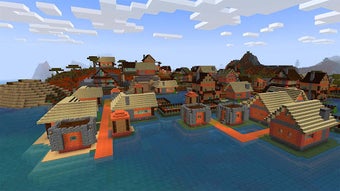
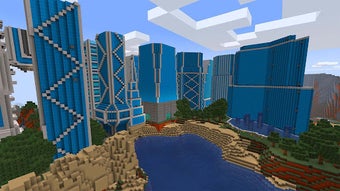
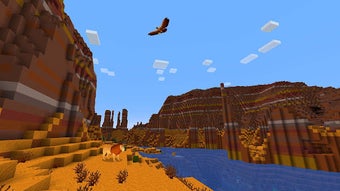
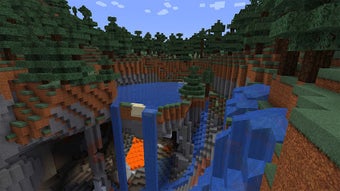
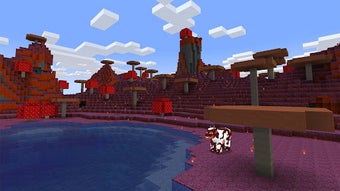
RealmCraft with Skins Export to Minecraft is a free adventure mobile video game that lets you explore another world full of blocky crafting fun. Developed by Tellurion Mobile, this game is highly similar to the popular pixelated RPG, Minecraft, but differs in its character and creature models’ designs. It has mostly the same game modes available but also offers new features not found in Minecraft.
Top Recommended Alternative
Another 3D adventure
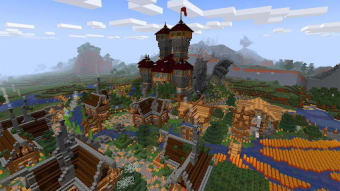
Minecraft is a 2011 sandbox video game created by Markus "Notch" Persson and developed by Mojang Studios. A highly-successful game, it lets players explore a blocky and pixelated, procedurally-generated 3D world. Players need to survive by gathering resources and defeating enemies. The success of the game eventually led to several copycat games that featured the same blocky, pixelated environment set for a survival adventure. However, RealmCraft with Skins Export to Minecraft offers something a bit different.
In RealmCraft, you have the same game modes: Survival Mode, Creative Mode, and even Multiplayer Mode. The whole setting is similar, as well—survive by exploring, gathering resources, and crafting to establish a stable life in the wilderness. However, the most obvious difference here is that the in-game models for sentient creatures are curvier rather than the usual blocks for their bodies. Your avatar is hardly even polygonal anymore.
The unique features here include the option to export custom skins—even to Minecraft, the multiplayer in Creative Mode only allowing any world changes to remain for 24 hours, and three minigames: Egg Wars, Bed Wars, and Snowball Fight. However, much of the issues the game has is that the gameplay controls and the blocks themselves don’t feel as streamlined as Minecraft’s. Plus, as a free-to-play game, expect ads to play quite often.
Not bad of an alternative
All in all, RealmCraft with Skins Export to Minecraft is a fun 3D pixelated game to try out. While it’s not really an original concept, it’s a great free alternative if you can’t get a copy of Minecraft. You’ll have to get used to the awkward controls and strange-looked polygonal creatures, too. If you don’t mind these, however, this is a great recommendation, especially with its multiplayer mode.



.jpg)